
The Best eSignature App for Freelancers and Small Businesses

Sign PDF & DOCX Documents on iPhone and iPad with eSign
In today’s fast-moving digital world, waiting to print, sign, scan, and email documents is no longer practical. Whether you’re a freelancer sending contracts, a landlord finalizing rental agreements, or an HR professional onboarding new employees, you need a fast and secure way to sign documents directly from your iPhone or iPad.
That’s where eSign comes in.
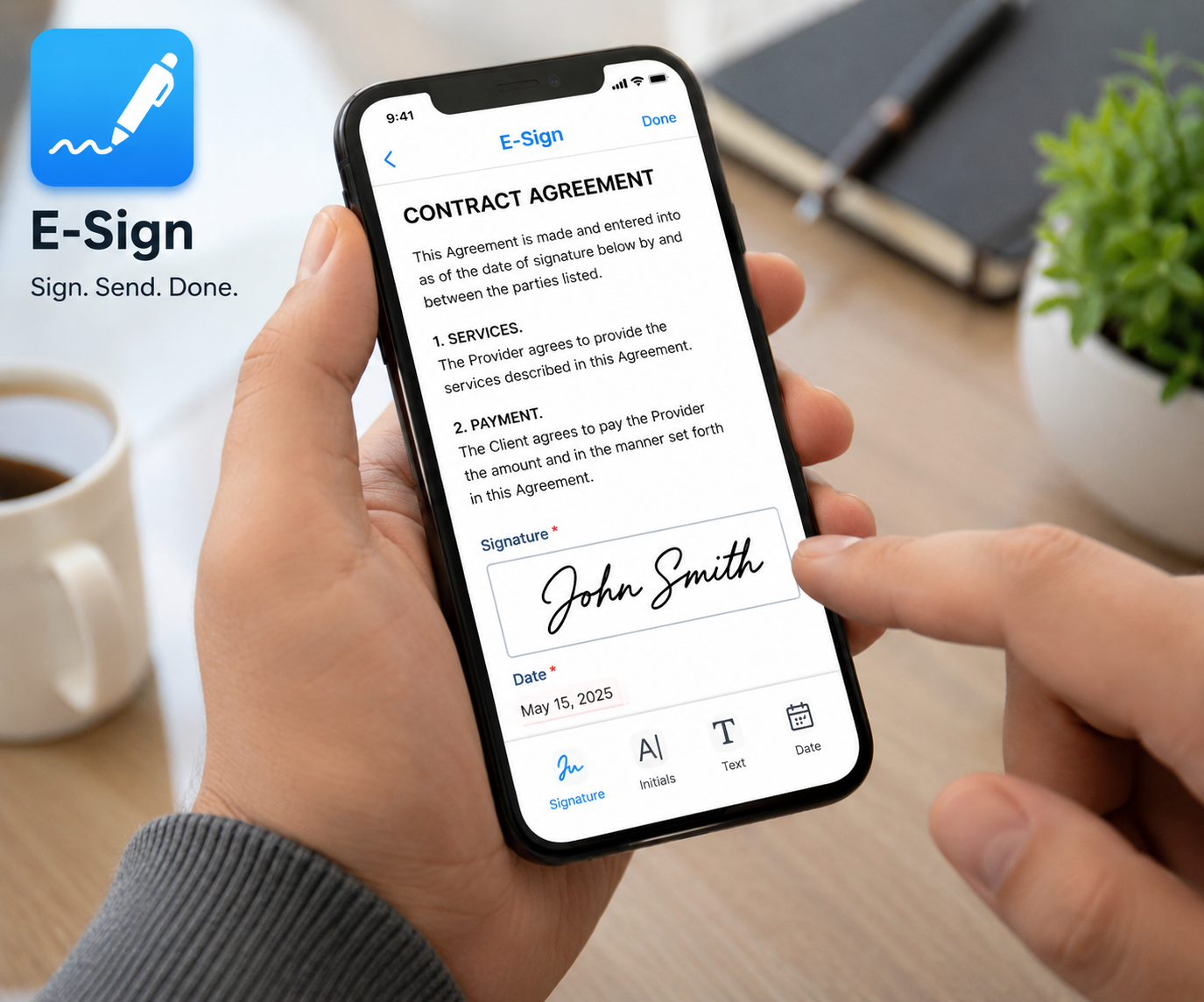
With eSign, you can sign PDF and DOCX documents in minutes from anywhere using your Apple devices. No printer. No scanner. No complicated setup.
If you regularly work with contracts, invoices, legal documents, agreements, or forms, this guide will show you why eSign is one of the best mobile document signing apps for iOS users.
Why Digital Document Signing Matters More Than Ever
Businesses and professionals now operate remotely more than ever before. Clients expect fast turnaround times, and teams often collaborate across different locations and time zones.
Traditional paper-based signing slows everything down:
Printing documents wastes time and money
Scanning signed paperwork is inconvenient
Emailing large scanned files can be frustrating
Delays in signatures can slow payments, hiring, and approvals
Electronic signatures solve these problems by allowing users to sign documents online or directly from mobile devices securely.
With eSign, you can:
Sign PDF documents on iPhone
Sign DOCX files on iPad
Fill and sign agreements digitally
Share signed files instantly
Manage documents while traveling or working remotely
For busy professionals, this means faster workflows, fewer delays, and a more professional experience for clients and customers.
eSign is an easy-to-use iPhone and iPad app designed for digital document signing. The app allows users to open, edit, sign, and share PDF and DOCX files directly from their iOS devices.
Whether you need to sign a freelance contract, approve a legal document, or complete onboarding paperwork, eSign simplifies the entire process.
The app is especially useful for:
Freelancers
Small business owners
Lawyers
Recruiters and HR teams
Accountants
Real estate professionals
Landlords and tenants
Remote workers
Consultants
Anyone who regularly receives documents by email
Instead of switching between multiple apps or using a desktop computer, users can complete everything directly on an iPhone or iPad.
Key Features of eSign
1. Sign PDF Documents on iPhone and iPad
PDF files remain one of the most common business document formats.
With eSign, you can quickly:
Open PDF files from email, cloud storage, or messaging apps
Add your signature using touch input
Insert text, dates, or initials
Save and share signed documents instantly
This makes it incredibly easy to handle contracts, invoices, NDAs, and agreements while on the go.
2. Sign DOCX Files Without Converting Them
Many professionals receive Microsoft Word documents that require signatures.
Instead of converting DOCX files to PDFs with another tool, eSign lets users work directly with DOCX documents.
This feature is particularly valuable for:
Recruiters sending offer letters
HR departments handling onboarding forms
Freelancers reviewing client agreements
Lawyers exchanging editable legal drafts
Accountants sharing financial agreements
By supporting DOCX signing directly, eSign saves time and reduces unnecessary steps.
3. Fast and User-Friendly Interface
One of the biggest frustrations with document apps is complexity.
eSign is designed with simplicity in mind. Even users with little technical experience can quickly:
Open a file
Add a signature
Save the document
Send it back
The intuitive mobile experience is ideal for busy professionals who need fast results without a learning curve.
4. Perfect for Remote Work and Travel
Business doesn’t stop when you leave the office.
Whether you’re traveling, working remotely, attending meetings, or managing clients from different cities, eSign lets you sign documents anytime and anywhere.
You can:
Approve contracts from your phone
Sign agreements during meetings
Handle urgent paperwork while traveling
Complete rental agreements remotely
Process onboarding documents immediately
Having a reliable document signing app on your iPhone or iPad can save hours every week.
Who Should Use eSign?
Freelancers and Small Business Owners
Freelancers constantly exchange contracts, invoices, proposals, and project agreements with clients.
Instead of delaying projects because paperwork is waiting for signatures, eSign helps freelancers:
Sign contracts instantly
Approve invoices quickly
Send signed agreements professionally
Reduce administrative delays
Close deals faster
Small business owners can also streamline daily operations by managing vendor agreements, employee paperwork, and client contracts from a single mobile device.
Common Use Cases for Freelancers
Graphic design contracts
Consulting agreements
Marketing service agreements
Client invoices
NDA forms
Partnership agreements
Lawyers and Legal Professionals
Legal professionals handle large volumes of documents requiring signatures every day.
eSign makes it easier to manage:
Legal contracts
Client agreements
Confidentiality agreements
Retainer agreements
Court-related paperwork
Partnership contracts
Lawyers can review and sign documents securely from anywhere, without returning to the office.
HR Professionals and Recruiters
Recruiting and onboarding often involve time-sensitive paperwork.
With eSign, HR teams can quickly process:
Employment contracts
Offer letters
Tax forms
Employee agreements
Policy acknowledgments
NDA documents
This creates a smoother onboarding experience for new hires while reducing paperwork bottlenecks.
Accountants and Financial Professionals
Accountants and finance teams regularly exchange documents that require signatures.
Using eSign, professionals can sign and return:
Engagement letters
Financial agreements
Tax-related documents
Client approvals
Internal accounting paperwork
Fast digital signatures help improve response times during busy tax seasons and financial reporting periods.
Landlords and Tenants
Rental agreements often require signatures from multiple parties.
Instead of printing leases or scheduling in-person meetings, landlords and tenants can use eSign to:
Sign rental agreements digitally
Approve lease renewals remotely
Exchange housing documents online
Finalize paperwork quickly
This is especially convenient for remote rentals, student housing, and long-distance property management.
Benefits of Signing Documents on iPhone or iPad
Many people still assume document signing requires a laptop or office setup.
However, mobile document signing offers several major advantages.
Faster Turnaround Times
Documents can be signed immediately upon receipt.
This helps businesses:
Close deals faster
Reduce approval delays
Improve client response times
Speed up onboarding
Better Convenience
Your iPhone or iPad is always nearby.
Instead of waiting to return to your desk, you can sign and send documents from:
Airports
Coffee shops
Meetings
Home offices
Client locations
Reduced Paper Usage
Digital signatures eliminate unnecessary printing and scanning.
This helps businesses reduce:
Paper waste
Printing costs
Storage needs
Administrative overhead
Improved Professionalism
Clients appreciate quick and organized communication.
Being able to sign and return documents immediately creates a more professional experience and demonstrates efficiency.
How to Sign a Document with eSign
Using eSign is straightforward.
Step 1: Open Your PDF or DOCX File
Import the document from:
Email attachments
Cloud storage
Files app
Messaging apps
Downloads
Step 2: Add Your Signature
Use touch input on your iPhone or iPad to create a digital signature.
You can place your signature exactly where needed within the document.
Step 3: Save the Signed File
Once completed, save the updated document directly to your device.
Step 4: Share or Send the Document
Email or share the signed file instantly with clients, employees, tenants, or business partners.
The entire process usually takes only a few minutes.
Why eSign Is Ideal for Apple Users
Many document signing tools are designed primarily for desktop use.
eSign focuses specifically on creating a smooth experience for iPhone and iPad users.
This means:
Mobile-friendly controls
Fast document access
Easy touch-based signatures
Seamless iOS usability
Efficient workflow management
If you frequently handle documents from your Apple devices, having a dedicated iOS signing app can dramatically improve productivity.
Final Thoughts
Whether you’re a freelancer managing client contracts, a lawyer handling legal agreements, an HR professional onboarding employees, or a landlord finalizing leases, eSign makes document signing simple and efficient.
Instead of relying on printers, scanners, or desktop software, you can sign PDF and DOCX documents directly from your iPhone or iPad in just minutes.
For professionals who value speed, convenience, and mobility, eSign is a practical solution that streamlines document workflows and keeps business moving.
If you regularly receive files that need signatures, eSign can save time, reduce friction, and make managing paperwork significantly easier.
Download eSign today and experience faster mobile document signing on iOS.